
You do not need to turn payment setup into a second job. Prepare one everyday way to pay, keep a separate backup, and make your first purchase somewhere you have time to ask a question. The useful goal is being able to finish a transaction calmly, even when an app or a card does not behave as expected.
This guide is for visitors using cards and phone numbers issued outside mainland China. Card eligibility, verification and charges depend on the service and your bank. The steps below are a preparation sequence, rather than a promise that every card will work at every merchant.
AI-generated conceptual illustration · Lane & River, 2026. Not an app screenshot.
Start before you leave home
Choose one payment app to set up first. Alipay and Weixin Pay both support eligible international cards; Shanghai's current guide describes registration, card linking and two payment methods: scanning a merchant's code or displaying your payment code. In Alipay, the card-linking route is listed as Me → Bank Cards. Shanghai's mobile-payment guide (https://english.shanghai.gov.cn/en-Individuals-BankingandPayments-Payments/20260920/4fc94c2f0e6b47e7939969415e5feb04.html)
Download the genuine app through your device's app store. Register using a number you will be able to access during the trip, and complete the checks requested by the app. Do this while you have a reliable connection and access to your bank's usual verification method. Leave enough time to contact the issuer if a card is rejected.
Opening an account and adding a card are separate tasks. Look for the card inside the wallet after setup, rather than assuming that completing registration also linked a payment method. Keep the physical card with you. If two people are travelling together, it is sensible for each to understand their own setup instead of relying on one phone for every purchase.
Know which way the payment is going
There are two moments that can look similar when you are new to QR payments. A shop may display a code for you to scan, or the cashier may ask to scan the payment code on your phone. Ask which method they want before opening a screen. A translation such as “Do I scan yours, or do you scan mine?” can save a surprising amount of uncertainty.
When you enter an amount yourself, check the number and the named recipient before confirming. When the cashier scans your phone, keep the payment screen under your control and check the resulting transaction. A screenshot of a payment screen is not a useful backup: it may expose private information and does not replace a working account.
Useful question: “可以用支付宝吗?” means “Can I pay with Alipay?” For Weixin Pay, ask “可以用微信支付吗?” You do not need perfect pronunciation; showing the sentence is often enough to establish what you are trying to do.
Make the first test a small, unhurried purchase
Try your everyday method before you depend on it for a complicated meal, a time-sensitive transfer or a large bill. Choose a purchase you actually want, with a cashier who can see whether the payment arrived. Check the transaction in your own app as well as the shop's response.
If the screen seems stuck, avoid repeatedly confirming. First establish whether a payment has already gone through. Save the transaction reference privately if you need to ask for help later. The aim of the test is understanding the process, not proving that every later transaction will succeed.
Before a larger purchase, ask which methods are accepted and examine the final amount. Platform fees, your bank's overseas charges and exchange-rate treatment are different questions. Read the charge shown before confirmation and check the issuer's terms; do not build a budget around a fee threshold copied from an old travel post.
If it fails, change one thing at a time
Start with the message on the screen. Is the phone offline, does the app need another identity check, has the issuer declined the transaction, or is the selected method unavailable? Check the connection and selected card before starting the entire setup again. Keep a note of the error wording without sharing card details or verification codes.
Then ask the merchant about a different accepted method. Trying the same rejected card inside another app may leave you with the same underlying problem, so a genuinely separate backup is useful. If the bank is the source of the decline, contact the bank through your normal trusted channel.
You can show: “支付没有成功,可以换一种方式吗?” — “The payment did not go through; can I use another method?” If the status is unclear, ask the cashier to check before paying twice. Take a short pause rather than handing an unlocked phone or a verification code to someone offering to fix it.
Keep a backup that survives a flat battery
Bring a physical card and arrange access to a modest amount of renminbi for ordinary backup spending. Direct card acceptance depends on the merchant and displayed network logos; Shanghai's official guidance also describes withdrawing cash at compatible ATMs and using authorised currency-exchange services. Payment methods for visitors (https://english.shanghai.gov.cn/en-PaymentMethods/20240313/6f4e58272f1a4cea9aec59c518915bdf.html)
Separate a spare card from the phone and wallet you use all day. Know how you would reach your accommodation if the phone stopped working. A written hotel name and address, a charged power bank and a little flexibility make a more useful backup than a long list of apps you have never opened.
Your short departure check
- You can sign in to your chosen payment app and find the linked card.
- You can receive the verification messages your bank or app may request.
- You have a physical card, a cash plan and a way to keep the phone charged.
- You know how to check a transaction before trying again.
- You have saved your bank's support route privately.
Information checked on 31 October 2026. No live payment or card-compatibility test was performed for this research edition. Recheck your app and bank's current instructions before departure.
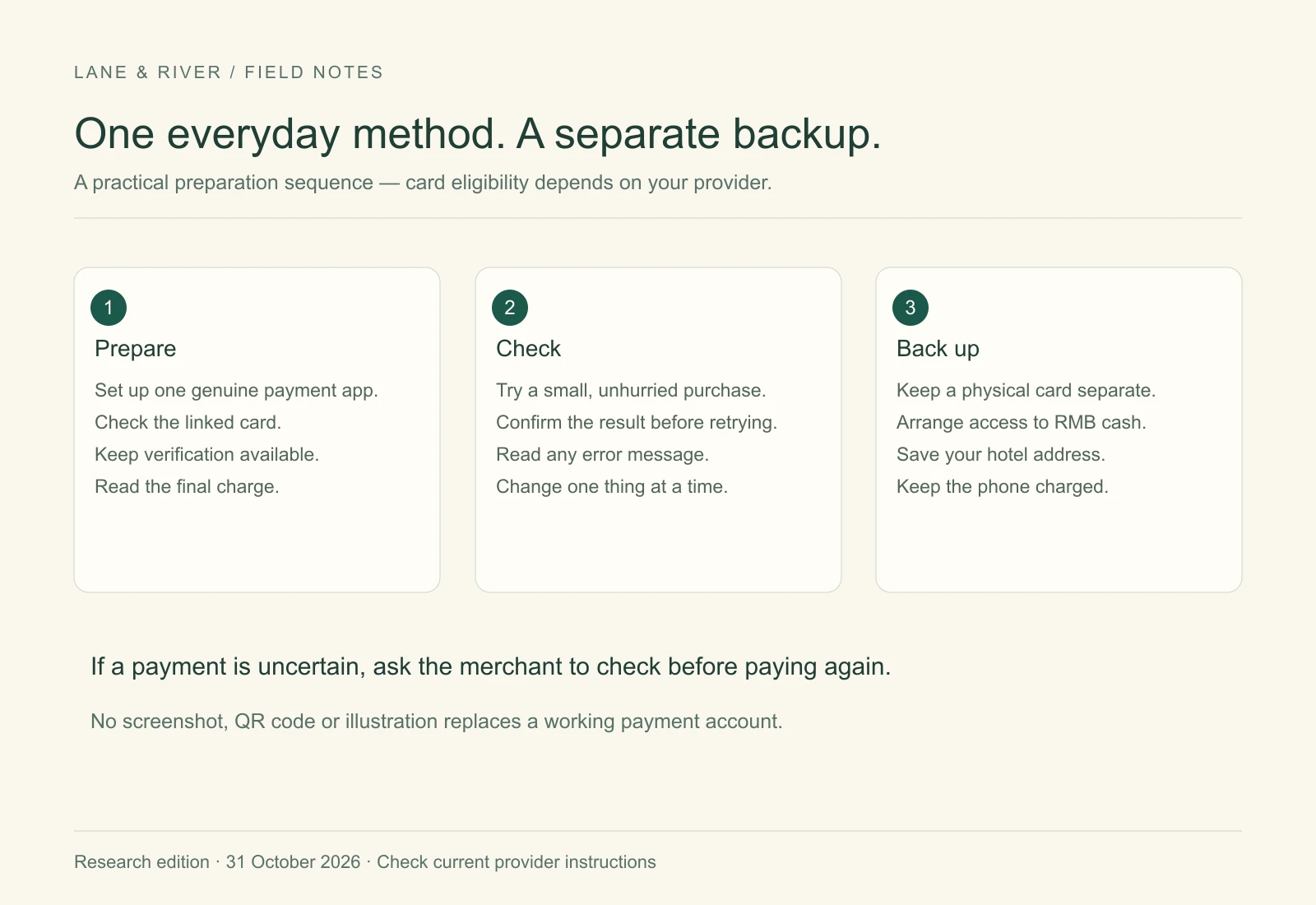
Original editorial diagram · Lane & River. Text is also provided in the article.